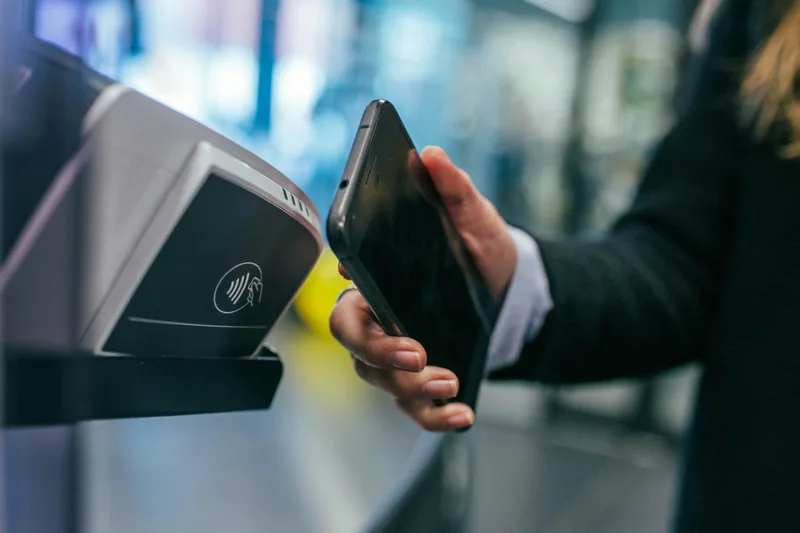
When you want to drop a pin on a high-volatility board, waiting three banking days for a card payment or international wire to clear kills the momentum. PayID, powered by the New Payments Platform (NPP) and Osko, has become the default banking route for Australian players looking to move Australian dollars seamlessly. It lets you fund your balance and pull out real-money winnings without sharing sensitive 16-digit credit card numbers or BSB and account combinations with casino cashiers.
However, running AUD transactions through domestic banking rails in 2026 requires understanding how Australian banks screen transactions, why first-time holds happen, and how to verify offshore casino cashiers. Whether you plan to explore top-rated Australian plinko casinos or you are seeking frictionless AUD withdrawals, this guide covers the mechanics, limits, and security steps for using PayID and Osko.
How PayID and Osko Work for Online Plinko
PayID is not an e-wallet or a separate bank account; it is a universal addressing service built on Australia's NPP. Instead of typing in a six-digit BSB and an eight-digit account number, you link your bank account to a simple identifier: your mobile phone number, personal email address, Australian Business Number (ABN), or an organisation ID. When combined with Osko—the payment overlay service managed by BPAY—transactions settle in near real-time, 24 hours a day, 365 days a year, including public holidays and weekends.
When you choose to play plinko with payid, the casino cashier generates a dynamic deposit invoice. This invoice presents a designated PayID identifier (frequently an email address or an Australian company registration number) and a unique reference code. You open your standard Australian banking app (such as CommBank, NAB, Westpac, ANZ, ING, or Macquarie), send an Osko transfer to that identifier, paste the reference code into the payment description, and the funds credit to your casino balance within seconds.
The Difference Between PayID and Standard Direct Entry
Traditional direct entry transfers rely on batch clearing cycles run by the Reserve Bank of Australia, which pause on Friday evenings and ignore public holidays. Osko and PayID operate on an ISO 20022 messaging standard that processes individual payments in under 60 seconds. For plinko enthusiasts, this eliminates the dreaded weekend deposit lag where your money leaves your bank on Friday night but does not show up on your casino dashboard until Tuesday morning.


Step-by-Step: Depositing AUD via PayID
Executing an instant bank transfer plinko deposit through PayID requires precision with reference details. Offshore operators use automated gateway software that matches your incoming bank transfer to your casino account using that specific tracking code. Follow this step-by-step workflow to guarantee immediate clearance:
- Access the Cashier: Log into your casino profile, click on the AUD balance section, and select PayID or Osko from the deposit menu.
- Set Your Amount: Enter your deposit size. Most AUD platforms set a minimum PayID deposit between $15 and $30, with single transaction ceilings capping out around $2,000 to $5,000 depending on your account tier.
- Copy the Payment Credentials: The cashier will generate two critical pieces of data: a PayID string (for example, payments-au@processinggateway.com or an Australian business numeric ID) and a unique 6 to 10-character Reference Number. Keep this browser tab open.
- Open Your Banking App: Switch to your banking app, navigate to 'Pay Anyone', choose 'Pay by PayID', and paste the casino's recipient identifier.
- Paste the Reference Code: Enter the exact reference code from the casino into the 'Description' or 'Reference' field of your bank transfer. Do not skip this step or enter generic text like 'Plinko deposit'. Without the exact reference string, the automated payment gateway cannot assign the incoming transfer to your player balance, forcing manual staff review.
- Authorise and Confirm: Review the transfer details and authorise the payment. Within 30 to 90 seconds, return to your casino tab; your AUD balance will refresh with your ready-to-drop stake.
Navigating Australian Bank Blocks and First-Time Holds
Using a payid online casino aud cashier means interacting with Australian domestic financial institutions. Because of local consumer protection rules and anti-scam frameworks enforced by major Australian retail banks, you must understand how bank algorithms treat transactions to iGaming payment aggregators.
The Interactive Gambling Act sets the regulatory baseline in Australia, prohibiting local operators from offering real-money online casino games, though offshore platforms continue to accept Australian adults. You can read more about these regulatory boundaries in our guide to Plinko legality and ACMA rules. To curb unauthorised activity and protect users from high-pressure fraud, Australia's Big Four banks apply automated fraud rules:
- 24-Hour First-Time Payment Holds: If you send an Osko transfer to a new PayID identifier for the first time, banks like Commonwealth Bank (CBA) and Westpac frequently place a 24-hour security delay on the funds. This is a standard anti-fraud measure. Once the initial transfer clears to that specific gateway, subsequent transfers to that identifier typically complete instantly.
- SMS or In-App Two-Factor Verification: Transferring amounts above $500 via PayID may trigger a security prompt in your mobile banking app asking you to confirm that you recognise the recipient. Always complete this prompt immediately so the payment does not time out.
- Merchant Name Discrepancies: Offshore casinos do not operate domestic Australian bank branches under their brand names. When sending a PayID transfer, the recipient name displayed in your banking app will usually belong to an authorised payment aggregator, logistics entity, or digital commerce gateway. This is standard procedure for osko casino deposits australia.
- Account Safety Recommendations: Never use a business bank account or joint family operational account for casino deposits. Dedicated secondary transaction accounts (such as an everyday fee-free account with Macquarie, Up, or ING) keep your gaming transactions segregated from daily living expenses, mortgages, and credit reporting activities.
Cashing Out Plinko Winnings via PayID and Bank Transfer
Securing a 1,000x corner bucket drop on an adrenaline-charged plinko board is exhilarating; getting that cash back into your Australian bank account quickly and securely is the real test. While some platforms support direct reverse-PayID cashouts (where the casino sends funds directly to your mobile number or email PayID), many process cashouts as standard direct bank transfers. You can compare overall operator cashout timings on our dedicated fast plinko cashouts comparison page.
How to Request a PayID Withdrawal
- Complete Identity Verification (KYC): Prior to your first cashout, licensed casinos must verify your identity under international anti-money laundering (AML) protocols. Have a clear photo of your Australian driver licence or passport, along with a recent utility bill or bank statement showing your residential address. Completing this ahead of time eliminates cashout delays.
- Open Cashier and Select Payout Method: Go to the withdrawal section, select PayID or Local Bank Transfer, and enter your withdrawal amount (minimums usually start at $50).
- Submit Your PayID Identifier: Enter your registered PayID (mobile number or email). Ensure this identifier matches the legal name verified on your casino account. Mismatched names (e.g. depositing under your name but requesting withdrawal to a partner's PayID) will trigger an immediate AML compliance hold.
- Confirm the Payout: Once approved by the casino's risk management team, the funds are dispatched via the NPP. For PayID-enabled cashout systems, the money lands in your account within 15 minutes of release.
Comparing PayID to Alternative AUD Payment Channels
To understand why payid plinko australia enthusiasts prefer this method, review the comparative breakdown of available payment channels below:
| Payment Method | Deposit Speed | Withdrawal Speed | Typical Transaction Fees | KYC Friction |
|---|---|---|---|---|
| PayID / Osko | Instant (0–3 min) | 15 min – 24 hours | $0 (Free) | Low to Moderate |
| Cryptocurrency (USDT/BTC) | 10–30 min | Under 30 min | Network gas fee only | Lowest (Pseudonymous) |
| Visa / Mastercard | Instant | Not available for AU payouts | 1% – 3% FX / Processing | Moderate |
| Direct Bank Wire | 1–3 business days | 2–5 business days | $10 – $35 per transfer | High |
While cryptocurrency offers zero domestic banking oversight, PayID remains the top choice for everyday Australian punters who prefer keeping their bankroll directly in Australian dollars without calculating gas fees or dealing with exchange slippage.
Troubleshooting Common PayID Deposit and Withdrawal Issues
Even with robust technology, minor hurdles can occur when processing online gaming transactions. Keep these solutions handy:
- Funds Left Bank Account but Balance is Empty: If your bank shows the funds as cleared but your casino balance has not updated within 10 minutes, check your transaction receipt. Did you include the exact reference string? If you forgot it or mistyped a character, contact casino live support with your bank transfer receipt (showing the Osko transaction ID, timestamp, and amount). Support agents can manually trace the payment in their aggregator pool and credit your account.
- Bank Declines the PayID Payment: Some banks restrict payments to newly registered or flagged business PayIDs. If your transaction fails immediately, split your deposit into a smaller sum (e.g., $100 instead of $500), try an alternate everyday banking account, or verify that your daily Osko limit has not been reached in your banking security settings.
- Missing PayID Option in Withdrawal Menu: If PayID is available for deposit but absent from the withdrawal tab, the casino likely disburses local payouts via Standard NPP Direct Bank Transfer. Simply enter your BSB and Account Number instead; as long as your bank supports Osko, funds still settle rapidly once the cashier releases them.
Pro Tips for Frictionless AUD Plinko Banking
To maintain seamless, stress-free gaming sessions while protecting your financial privacy, apply these four golden rules of Australian online casino banking:
- Use Email as Your PayID: While phone numbers work well, creating a dedicated email address linked to your bank account for iGaming provides an extra layer of privacy, preventing unsolicited marketing SMS messages.
- Check Your Osko Limits: Most Australian retail banks enforce a default daily Osko/PayID limit (often between $1,000 and $5,000). Adjust this inside your mobile banking app before attempting large cashier deposits to avoid unexpected declines.
- Keep Detailed Records: Take a quick screenshot of every cashier deposit invoice and the matching bank transfer confirmation receipt until the AUD credit confirms in your game balance.
- Watch the Wagering Requirements: If you claimed a deposit match offer when using PayID, verify your bonus wagering status before requesting a cashout. Attempting to withdraw before clearing playthrough terms can cancel your bonus and associated winnings.